Welcome to Comms vNext 2026!
If you are viewing this in the Mobile App, please rotate your screen to view the Floor Plans better.
Check-in and Badging
Event check-in and badging will open the following times:
- May 4th from 2:00pm until 4:30pm
- May 5th from 7:00am until 4:00pm
- May 6th from 7:30am until 1:30pm.
Before you go to Breakfast on Day 1 at 7:00am, you will need to visit Registration on the Ballroom floor of the Hotel either on Monday afternoon or Tuesday morning starting at 7am to receive your badge.
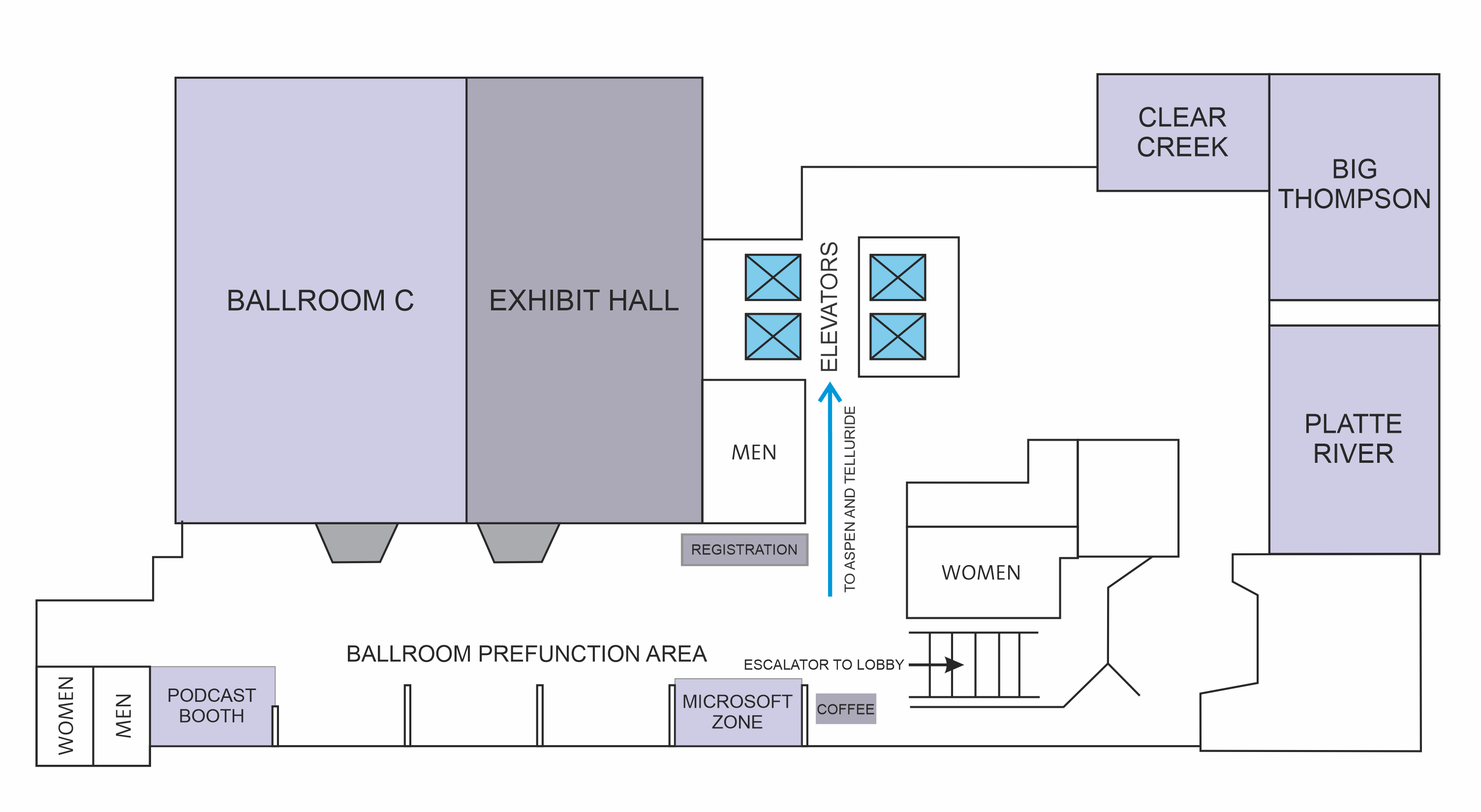
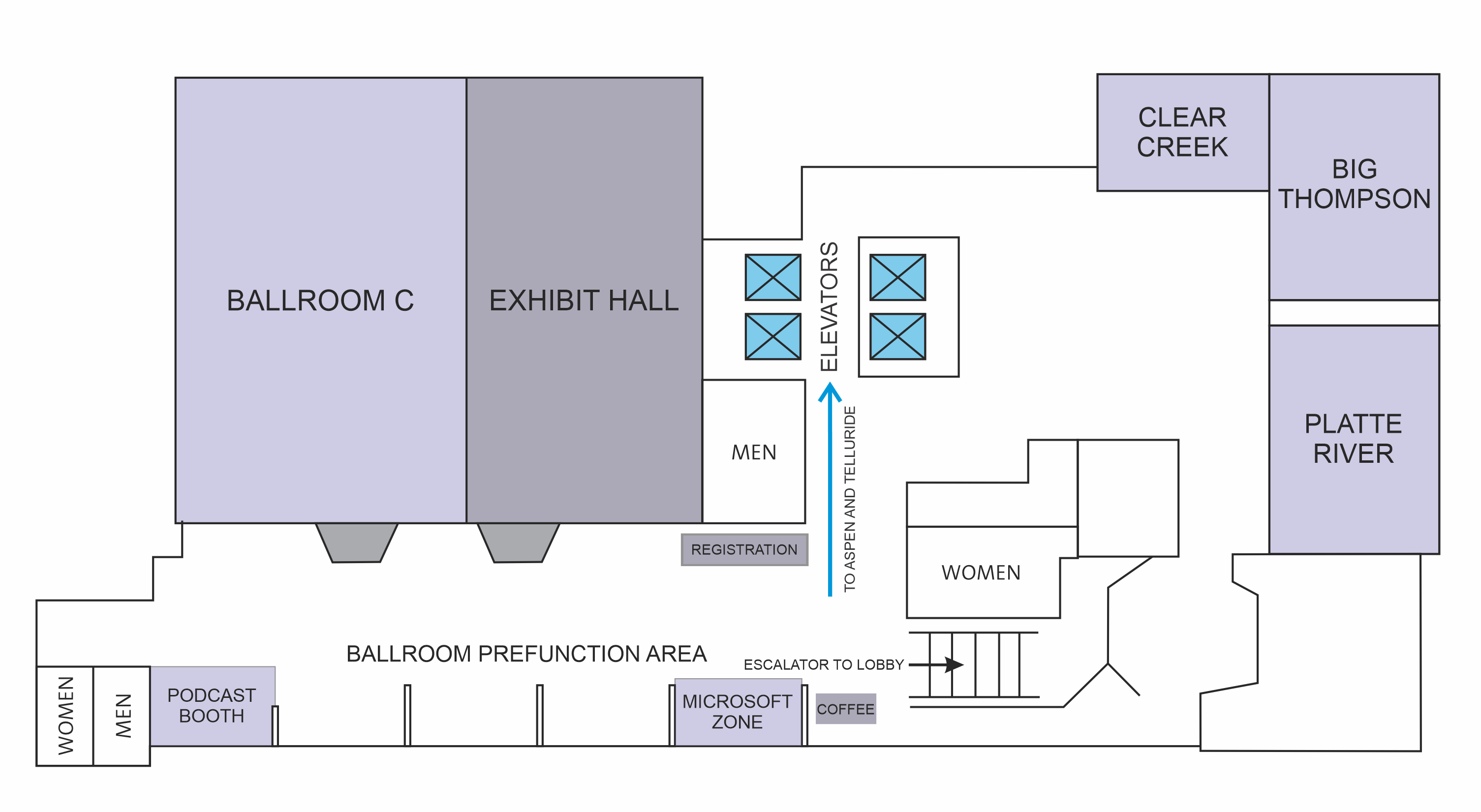
Check-in and badging will be on the Ballroom Level (Lower Level) of the hotel next to the Exhibit Hall. You can either access the Basement Level by using the escalators next to the Skyhawk lounge or the elevators at the center of the hotel.
Ballroom Level (Lower Level)
When arriving at registration, please have with you your ticket QR code ready for scanning. This can be found in the following places:
- Your email by searching for "Comms vNext 2026 ticket"
- Logging into this website (Just Attend) and then clicking on "My Ticket" in the menu under your name in the upper right part of the screen.
- Accessing "My Ticket" in the Just Attend Mobile App.
Wi-Fi
The Wi-Fi has changed from last year. There is simply a Name and Password this year with no splash screen prompting for a code.
Name: Advanced
Password: Levelone!
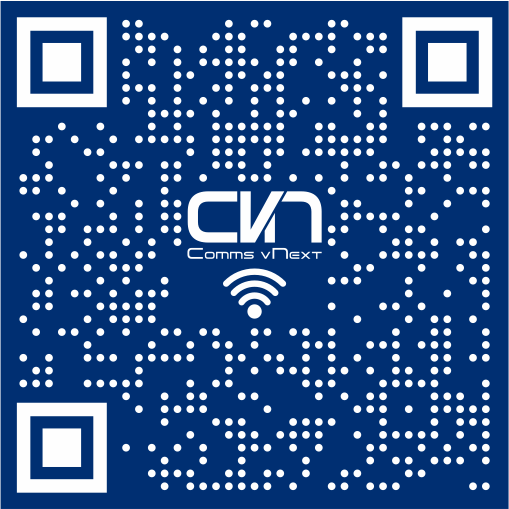
Throughout the conference, on the back of your badge, on our digital signage and in the session rooms on the presentation screen before the session begins, you'll find a QR code that will automatically join your device to the conference Wi-Fi. It'll look like this:
Attendee Mobile App
This year the Just Attend Mobile App has added some great functionality and the Comms vNext organizers feel it's one of the best ways an Attendee can quickly find information about Comms vNext! Please search in your mobile phones app store for "Just Attend". The E-Mail and password you setup when registering for Comms vNext will be used to login to the Mobile App. Below are some of the key features available in the Just Attend Mobile App:
Check-in and Badging: When you arrive at Comms vNext you’ll need to visit Check-in and print your badge to wear while at the conference. Many people come to check-in and are fumbling through their e-mail looking for the QR code or they try to lookup their name by entering it in, but why do that when you can scan a handy dandy QR code in the Mobile App under “My Ticket”.
View Sessions and Add to your Agenda: Want an easy way to view all of the sessions, who is speaking, and what the session is about? The Mobile App has you covered with a complete view of what is going on at Comms vNext. It is also easy to add a session to your Agenda by touching the calendar icon in the upper right. Not only will it be added to your agenda, you will also get a calendar invite in your email.
View the Exhibitors: We simply could not put together Comms vNext each year unless we had amazing sponsors. Most of the sponsors will have booths you can visit, but some you can only find on our website or in the mobile app. Many of the things you enjoy at Comms vNext like amazing coffee in the morning or meals and snacks would not be there with gracious support of sponsors that pay for them. Take a look at all the sponsors in the Mobile App and you can explore what they have to offer and even reach out with a message to them if you want.
Share Contact Information: One of the lesser known features is the ability to share your contact information with another attendee. Simply go in to Share Contacts and look up the person by name and select the icon to Share your contact card with them.
Event Information: This year we plan to use a new feature of the Mobile App and provide more information about the conference right at your fingertips. Things like a floor plan and wi-fi info will definitely be there and whatever else we dream up that might be useful (like this blog).
Session Feedback: Our speakers spend a lot of time putting together the content for a session. Sometimes it’s spending a lot of their own time doing research on how to best accomplish something, or maybe it’s hard won knowledge from being in the trenches helping Microsoft customers with their solutions. The point is they love feedback and the best way you can give it to them is by adding their session to your Agenda and then giving feedback in the Mobile App when prompted. Also, at the end of the event there is a chance to provide feedback on Comms vNext in general. We love to hear what your experience is like and especially if we can do something to make it better (yes, we know… always more churros). This is one of the best ways to help us and our speakers to know what your experience was like at Comms vNext.
Meals and Snacks
Breakfast on the first day will start at 7:00am. Breakfast on May 5th will be on the Atrium Level in the room called ASPEN. Breakfast on May 6th will be in Ballroom C at 7:30am. Reference the maps below.
Lunch will start at 12:00pm each day and will be served in Ballroom C.
Snacks will be served at 3:00pm each day and will be served in the Pre-Function area just outside the Exhibit Hall.
Atrium Level
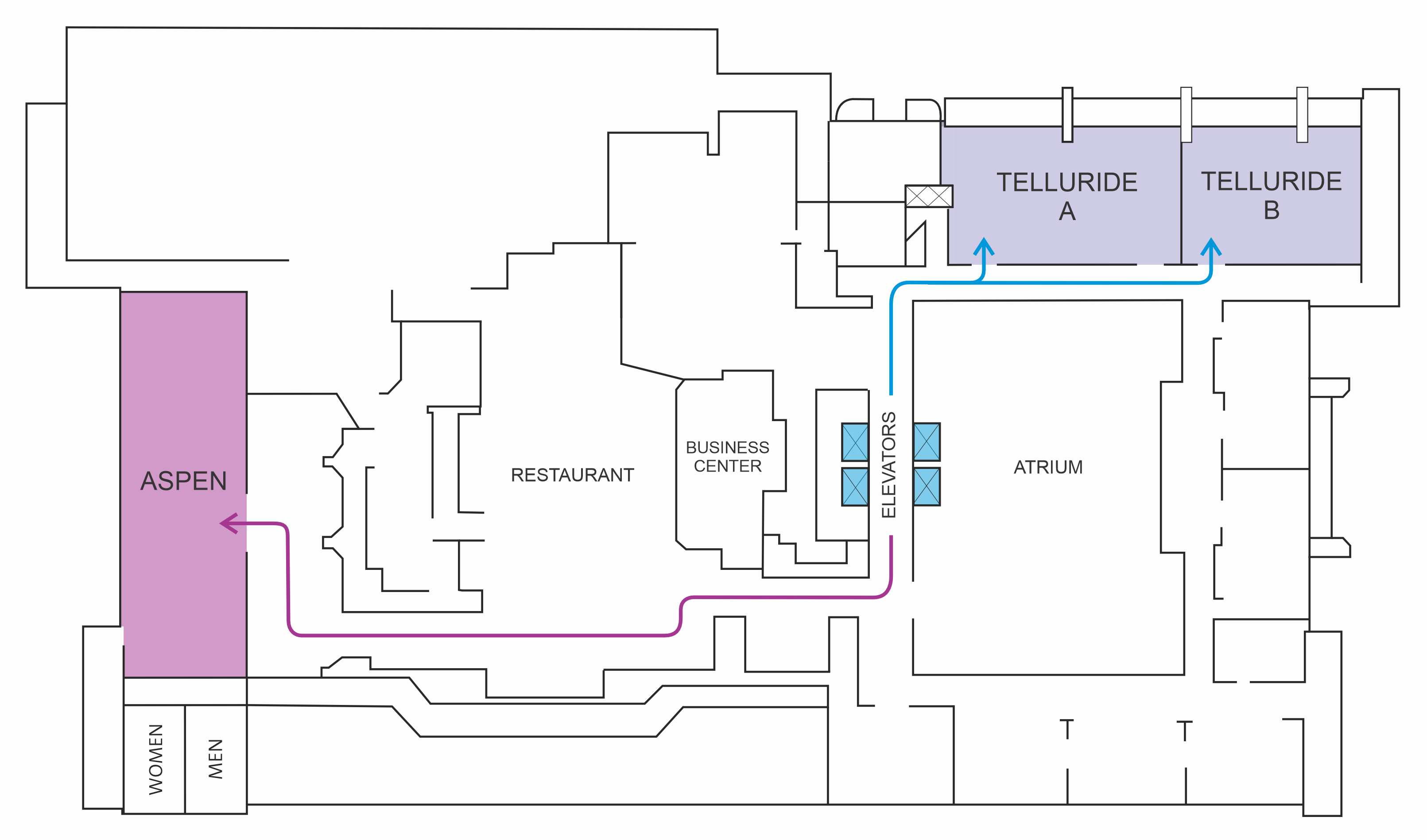
Ballroom Level (Lower Level)
Opening Ceremony and Sessions
The Opening Ceremony will start promptly at 8:00am on May 5th in Ballroom C and the first sessions after the Opening Ceremony will start at 9:45am. On May 6th the first sessions of the day will start at 8:30am.
Attendee Reception
The last session on May 5th will finish at 4:30pm. After sessions have ended we will be having an Attendee Reception in the Exhibitor Hall from 4:30pm until 6:00pm.